
Pinal County Court Docket Searches
Start with the caption or citation printed on your paperwork. It tells you which court actually owns the Pinal County docket you are after. Does the caption name the Superior Court? Then your search belongs in Arizona Public Access to Court Information. Add eAccess or the Pinal County Clerk of the Superior Court when you need an actual document image. A Justice Court or municipal caption goes to that court's own clerk. The county clerk cannot certify a city court docket. That holds even for a city sitting inside Pinal County.
Search with the sharpest identifier you have. A case number beats a common party name, and even punctuation can change the result. The free statewide index is broad, yet unofficial. It refreshes each Friday with data through the prior Wednesday. So a brand-new filing or a reset hearing may take days to surface in any Pinal County docket search.
- Read the court name and copy the case or citation number exactly.
- Open Arizona Public Access Case Search, complete its verification word, and click Submit.
- Narrow the result to Pinal County and the named court when those choices appear.
- Review the case header, events, filings, status, and newest hearing setting.
- Ask the owning clerk for a recent confirmation, document, or certified copy.
Arizona's public interface is the first thing you will meet in a Pinal County docket search. The official Case Search source displays the verification screen that appears before any case fields open.
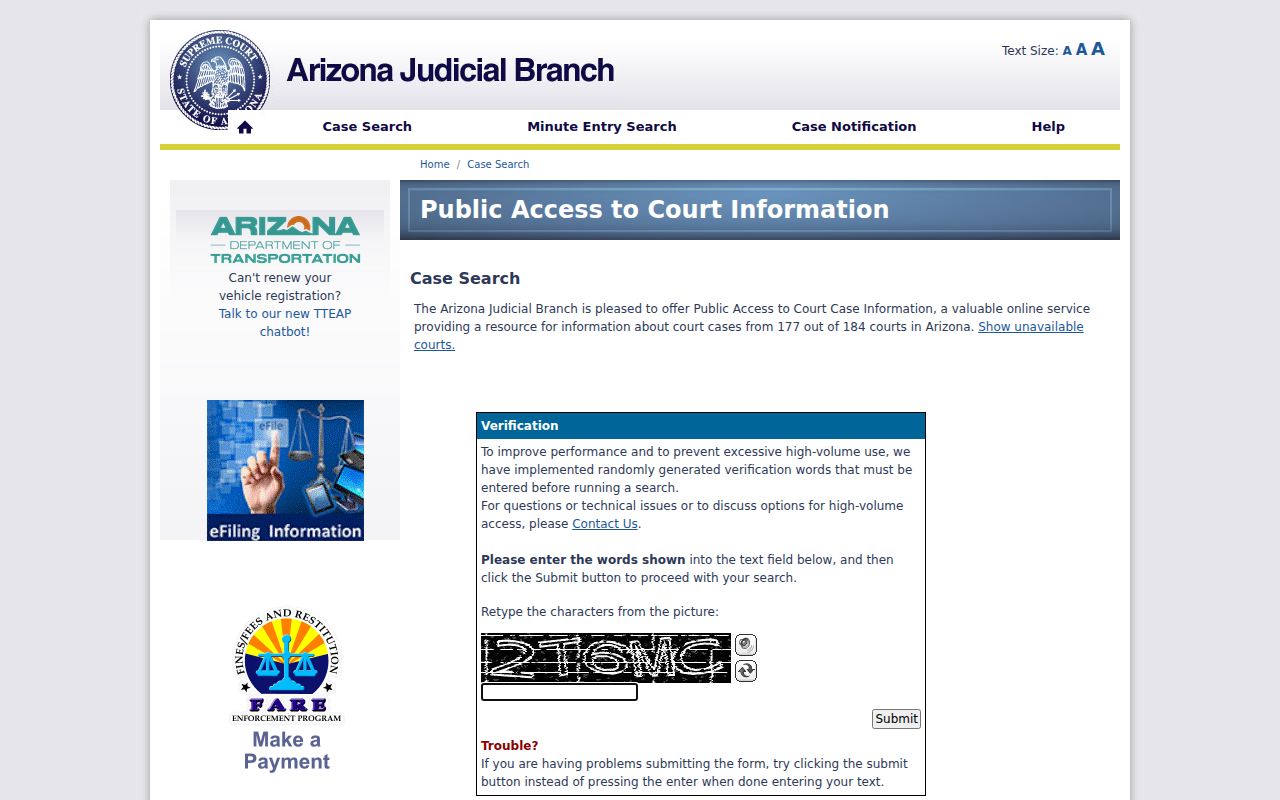
Past that screen sits a case index, not a clerk-certified Pinal County court record.
Pinal County's Three Record Layers
Pinal County court access works in three separate layers. Case Search is the free statewide index, useful for pinning down a case number, court, status, event history, and hearing information. eAccess is the paid document service, covering eligible open civil and criminal Superior Court matters filed on or after July 1, 2010. For older material, broader record requests, and certified copies from Superior Court files, the Pinal County Clerk of the Superior Court is the office to contact.
- Case Search
- Find public case information and settings. The data is weekly, incomplete, and not official.
- eAccess
- Buy eligible Superior Court document images. An account, fees, date line, and access restrictions apply.
- Owning clerk
- Inspect files or order official copies from the clerk responsible for that court's records.
Keep eFileAZ out of this picture entirely. It receives filings; it is not the public Pinal County court docket. Case Center, formerly CaseLines, is separate too, an invitation-based evidence workspace for approved Pinal County cases rather than a public exhibit library.
Court Dockets: What They Show
A docket goes by other names: register of actions, case history. It is an index built around the case number. It logs filed papers, court-generated entries, orders, and settings in date order. One caution. A docket title can tell you a motion arrived without showing the motion's text. The document image is a different product. A certified copy is different again, because the clerk authenticates it for official use.
| Case Number | The unique identifier, copied with its prefix and punctuation. |
|---|---|
| Parties | Names or limited identifiers paired with roles such as plaintiff, defendant, petitioner, respondent, or State. |
| Events | Complaints, motions, responses, minute entries, orders, judgments, and appeal activity. |
| Settings | Date, time, proceeding type, court, division, and result when publicly shown. |
| Status | A broad active or disposed label that does not replace the final order or charge-level result. |
| Documents | Titles and dates; an image may be unavailable online or restricted. |
Read entries in sequence. A filed request is not a granted request, and an application for default is not a default judgment. A past setting can even stay visible after a reset, so the later minute entry or signed order usually supplies the real outcome.
Friday Refresh on Pinal Dockets
Arizona Case Search publishes new data every Friday, covering filings through the prior Wednesday. That rhythm matters when a Pinal County court date shifts late in the week. The old date may linger in the public case history. Meanwhile the assigned court has already continued, reset, or vacated the event. A remote-hearing link proves only that a division offers remote access. It does not prove a hearing remains set.
When timing counts, compare the newest hearing block against later minute entries and notices. Then contact the assigned division, Justice Court, or municipal court. The Pinal County court schedule shows how to trace competing dates. It does so without treating the first visible entry as current. A Friday refresh can lag a same-week reset. So the assigned court remains the final source for a current Pinal County setting.
Pinal County Courts and Their Dockets
No single clerk holds every local court record in Pinal County. The Pinal County Clerk of the Superior Court keeps felony, general civil, family, probate, juvenile, and other Superior Court files. Six Justice Court precincts exist. Each keeps limited civil, small claims, eviction, misdemeanor, and traffic matters within its own jurisdiction. City traffic, ordinance, and misdemeanor files live with the municipal and magistrate courts.
| Court | Docket Covers | Where to Search |
|---|---|---|
| Superior Court of Arizona in Pinal County | Felony, general civil, family, probate, and juvenile matters | Case Search, eAccess, or Superior Court Clerk |
| Pinal County Justice Courts | Limited civil, small claims, evictions, misdemeanors, and traffic | Named precinct clerk and participating state search |
| Municipal or Magistrate Courts | City ordinance, misdemeanor, and traffic cases | Named city court and participating state search |
| Arizona Court of Appeals, Division Two | Appeals from Pinal County Superior Court | Appellate clerk and appellate case systems |
Reach for the Arizona Courts Locator when a notice is unclear or a limited court's contact has changed. The official locator makes one point plain. The court name, not just the county, controls any Pinal County docket request.
It sorts Pinal County Superior, Justice, and municipal courts so you contact the proper clerk first.
Why Pinal Dockets Go Missing
An empty result does not prove a case never existed. Check your spelling first. Then check the case-number punctuation and the named court. A recent filing may simply not have reached the weekly refresh yet. Some participating courts hold matter types the statewide search intentionally leaves out. These include sealed matters, orders of protection, mental-health and probate cases, victim and witness data, juvenile delinquency or incorrigibility information, and local ordinance charges.
Coverage and confidentiality are not the same thing. A missing city ordinance entry reflects what the statewide index carries, not the court's file. A sealed Pinal County case is missing because public access was removed. Information that cannot be viewed remotely may still be open at a courthouse terminal or counter. Arizona's court-record rules govern that access. Closed records stay closed at the counter.
Missing result: Confirm the court first, check the stated exclusions, and then ask that court's clerk about lawful access.
Court Dates and Settings in Pinal County
Where does a Pinal County hearing date show up? Four places, usually. The public case-detail hearing block is one. So are court calendars, filed notices, minute entries, and the assigned division's working calendar. Treat the newest setting as a lead, not a verdict, because later docket text can vacate, continue, or reset it. Vacated means the setting is gone. Continued means it was postponed. Reset means a replacement date has been supplied. Held means the event actually took place. Work from the citation or notice first, then read the case history in order, and let the Superior Court judge and division page, the named Justice Court, or the named municipal court give the final word. For remote settings, follow the court's own connection instructions only after confirming the event is still scheduled.
Pinal County Case Search Fields
A statewide Pinal County docket search starts with a verification word. Type it, then click Submit; the official page warns that pressing Enter will not work. Once past that gate, you can search by case number or by party name, and you can narrow results by court or county where the option appears. The case number is the better tool. A common last name with no court filter can return a flood of matches for one docket search.
| Field | Use | Format Note |
|---|---|---|
| Verification text | Pass the public access gate | Click Submit |
| Case number | Find one known case | Enter dashes and spaces as printed |
| First and last name | Find a party when the number is unknown | Exact spelling helps |
| County or court | Narrow the result to Pinal County | Choose the owning court when shown |
For traffic cases searched by name, extra fields help: birth month and year, a court selector, and a vehicle-registration-hold limit. Searching by case number instead takes a two-letter prefix followed by digits, the way TR-19010111 shows. One quirk of the traffic docket form: labels can shift after you clear the verification gate, so read them again before you search.
Docket Access Under Arizona Law
Arizona Supreme Court Rule 123 does most of the work here. That rule grants the public access to judicial records. It also lists which records stay closed or restricted. Remote electronic access has its own rule, ACJA section 1-604, and it keeps a floor under walk-in rights: whatever the Internet view leaves out, you can still inspect open records at the court facility. Arizona's general inspection principle shows up in state statute too. But case files answer to Rule 123 and court law, not to that statute alone.
Key Rules:
Arizona Supreme Court Rule 123 governs access to court and judicial administrative records.
ACJA section 1-604 distinguishes remote access from access at a court facility.
A.R.S. section 39-121 states Arizona's general public-record inspection principle.
A.R.S. section 13-911 controls qualifying criminal-record sealing and later access.
Administrative Order 2016-58 draws one line worth knowing. Say a document in a case is restricted but the case itself stays public. The register should still show, in most situations, that a filing exists. A generic title may hide what is inside. If the whole matter is sealed, though, the docket entry may not appear at all.
Building A's Pinal Docket Desk
Need in-person help with a Superior Court case? Head to 971 North Jason Lopez Circle, Building A, in Florence, Arizona 85132. That is the seat of the Superior Court of Arizona in Pinal County. Bring the building designation along, since official addresses list it. Court Administration runs the judicial calendars and daily court work. The Pinal County Clerk of the Superior Court keeps the filed record. Copies and certifications come from that office. Need a verbatim transcript? Ask the court reporter, not the Clerk.
Building A earns a trip when a file is absent online. The same goes when a certification is required. It is not the counter for every citation, though. Each Pinal County Justice Court and city court keeps its own limited-jurisdiction docket. Match the court to the case first.
How the Clerk Keeps Docket Records
One office wears several hats in Pinal County. The Clerk of the Superior Court receives filings, maintains the case record, and authenticates copies, yet each task stands alone. Finding a case is not the same as requesting a record. Paying a court obligation, filing a document, and managing invited digital evidence are separate services too. Keeping them apart matters. A public Case Search result is not an official record. Treating it as one invites trouble.
Need current fees, request forms, or service details? The official Pinal County Clerk site lays out what the office publishes on each of those tasks.
Think of the service hub as a directory rather than a single system. A Pinal County docket user gets routed to case lookup, record copies, payment, filing, or Case Center by task.
Pinal County Clerk of Superior Court
971 N Jason Lopez Circle, Building A
Florence, AZ 85132
520-509-3555
Mail: P.O. Box 2730, Florence, AZ 85132
Pinal County Dockets Since 2010
Mark the date: July 1, 2010. Eligible open civil and criminal Superior Court documents filed on or after that date may be sold through eAccess. Anything older stays a clerk request. Excluded case types and material with no image also go through the clerk. eAccess itself launched in 2019. Its newer interface arrived in 2024 and brought new account requirements with it.
Pinal County's filing systems have shifted too. Attorney civil e-filing reached the Superior Court in 2018. In 2025, all six Pinal County Justice Courts gained eFileAZ for civil, eviction, and small-claims work, then came an attorney filing mandate. These systems show how an entry reaches a docket. They do not replace the public search, and they never substitute for the clerk's certified record.
Pinal County Docket Copy Fees
Know the case details before you order. A full case number and the date of the filing help the Clerk's staff pull the right Pinal County court record on the first try. Requests that lack specifics can trigger an added research charge for each year searched. Checking the docket first pays off.
Expect two waits. The Clerk contacts a requester within five business days to confirm the copy fees. After payment, the office asks for another five business days to process and deliver the court docket copies.
| Superior Court Clerk Service | Published Amount |
|---|---|
| Copy per page | $0.50 |
| Certification per document | $35.00 |
| Research per year | $35.00 |
| Shipping and handling | $8.00 |
| Exemplification with two seals | $70.00 |
Mail orders follow their own routine. Confirm the process first, then send the request form to the Clerk's P.O. Box in Florence with a self-addressed stamped envelope tucked inside.
Fees differ at the lower courts. Each Justice Court and municipal court sets its own copy charges for a docket. That schedule never applies to a city case lookup.
Pinal County Docket Scale
Pinal County spreads across the corridor between the Phoenix and Tucson regions. Its court system is just as spread out. One Superior Court and Clerk operation handles the major caseload. Beneath it sit six Justice Court precincts plus municipal courts in the county's population centers. The state's court organization source counts ten Superior Court judges. The municipal courts number nine with fourteen judges between them. That layout is why no single counter holds every Pinal County court docket. It is also why a docket search has to start with the right court layer.
For comparing filing volume across those layers, the Arizona court statistics program publishes the official statewide reports.
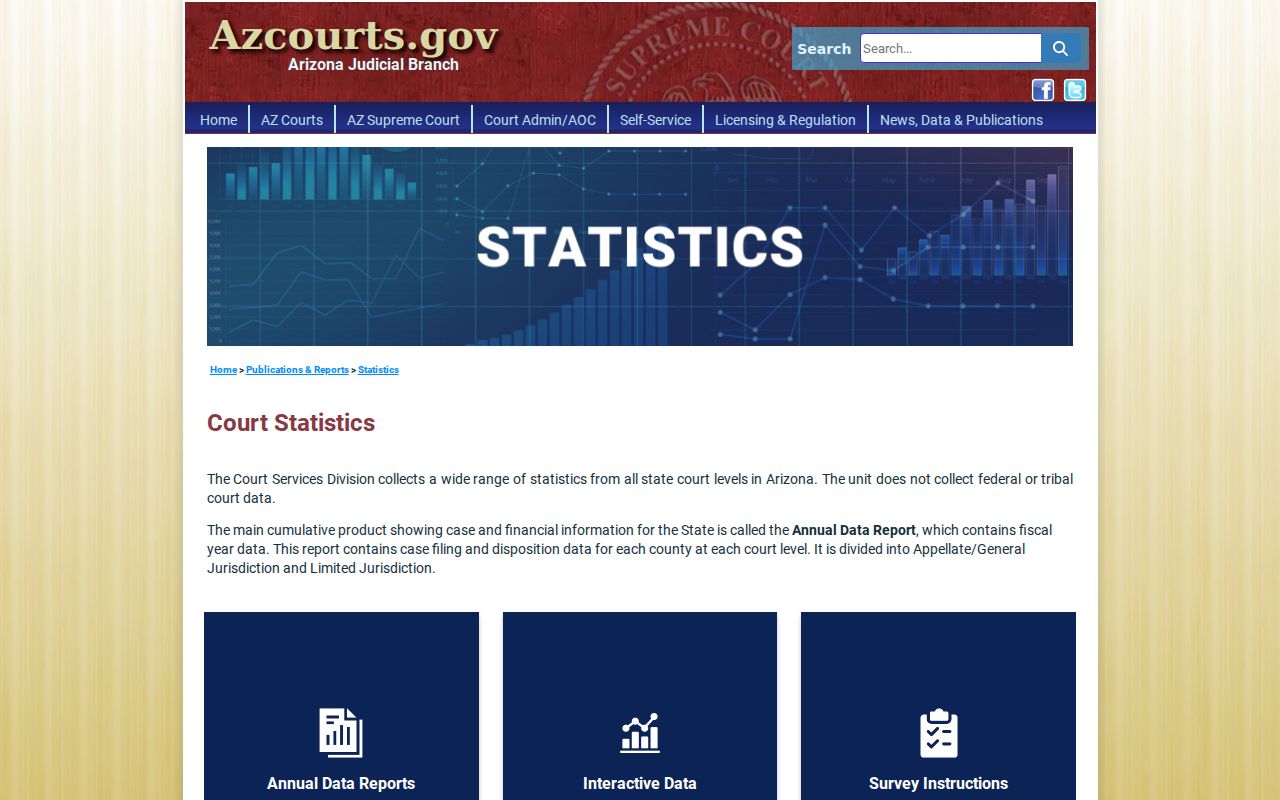
Each report splits its counts among Superior, Justice, and municipal courts. That split matters. Combining them into a single Pinal County docket total would misstate what the county actually handles, since statewide and countywide figures get mislabeled that way all too easily.
City-by-City Court Dockets in Pinal County
Pinal County's five largest incorporated cities each run their own municipal or magistrate court. They are ranked by the 2020 Census. Those local courts take the city's traffic tickets, ordinance cases, and misdemeanors. So a Superior Court docket search alone can miss a local citation. Start with the court named on the citation itself. Turn to Pinal County Superior Court only in the right situation. That is when the record is a felony, general civil, family, probate, or authorized appeal case.
Maricopa Court Records
58,125 · Municipal traffic, misdemeanor, and ordinance dockets
Casa Grande Court Records
53,658 · Municipal traffic, misdemeanor, and ordinance dockets
Apache Junction Court Records
38,499 · City cases kept apart from the nearby Justice Court
Florence Court Records
26,785 · Magistrate records separate from the countywide Superior Court
Eloy Court Records
15,635 · Local traffic, misdemeanor, and ordinance dockets
The population numbers are 2020 Census counts. They simply pick and order the five city pages, not estimate how many cases each court docket holds.
Map and Directions to the Superior Court of Pinal County
Felony criminal, general civil, family, probate, and juvenile Superior Court files for the whole county are kept at 971 N Jason Lopez Circle, Building A, in Florence, the county seat. The Clerk of the Superior Court, not Court Administration, is the office that accepts record requests and handles copies and certification; Court Administration manages judicial operations and calendars from the same complex. This is the right building only for county-level cases — city traffic, misdemeanor, and ordinance matters stay with the municipal court named on the citation, and Justice Court precinct matters stay with that precinct.
Pinal County Clerk of Superior Court
971 N Jason Lopez Circle, Building A
Florence, AZ 85132
520-509-3555
The Superior Court's main line is 520-866-5400; the Clerk can also be reached toll free at 888-431-1311 or by fax at 520-866-5320. The official pages reviewed for this site do not publish counter hours, security screening, or parking specifics for this courthouse, so calling ahead of a visit is the safest way to confirm current access.