
How the Pinal County Court Calendar Works
A hearing in Pinal County can surface in four spots. Case details carry a hearing block. Courts post calendars or daily lists, filed notices and minute entries record settings, and each division keeps its own working calendar. None of these refresh at the same speed. The Pinal County Clerk of the Superior Court links a next-hearing resource. Individual Justice and Municipal Courts maintain their own dates.
The case caption tells you which calendar governs. The Superior Court of Arizona in Pinal County handles felonies, broad civil matters, family, probate, and other general-jurisdiction cases. Justice Court calendars cover precinct matters. City calendars handle ordinance, traffic, and misdemeanor cases. No single unauthenticated daily calendar combines all of these layers. Go to the owning court rather than a generic county list.
Four Pinal Court Date Sources
Confirm with whatever sits closest to the judge's current calendar. A filed notice only proves what was set when it was issued. A later minute entry can vacate or replace that setting. Statewide case information helps you trace the chain. But it updates each Friday with data only through Wednesday.
| Source | Best use | Limit |
|---|---|---|
| Notice or citation | Starting court and appearance date | May be replaced later |
| Case hearing block | Current public setting lead | Weekly refresh can lag |
| Minute entry | Reset or ruling details | Must read later entries too |
| Assigned court | Final date confirmation | Requires direct contact |
Hold onto the notice while you search. It carries the court name, the case number, and the first date, which is everything you need to match the right Pinal County court schedule.
Pinal County Court Date Lookups
Use every channel the courts support, and start online without stopping there. The free Arizona Public Access Case Search is a case-information index, not the official Pinal County court calendar. For Superior Court, the Clerk's customer and party page routes you to Case Search and the next-hearing tool.
- Read the notice or citation and identify the court.
- Search the exact case number in statewide Case Search.
- Open case details and read all settings in date order.
- Check later minute entries for vacated, continued, or reset language.
- Use the assigned Superior division, Justice Court, or city court phone or counter.
- Confirm again the day before or day of court when a change is possible.
A mailed record request can get you a filed notice or minute entry, but it moves too slowly for an urgent date check. When time is short, call the assigned court instead.
Pinal Court Calendar Update Lag
Arizona Case Search refreshes each Friday with case information through Wednesday. A Thursday continuance in Pinal County can therefore outrun the public index. Even after a new setting is entered, the old date may linger in the history. Treat this as a data-timing gap, not proof that both hearings will happen.
Read from the oldest event toward the newest. Look for a minute entry after the original notice. A last entry saying "reset" means you still need to locate its replacement date. If it says "vacated," do not assume a new date exists at all. The assigned court can tell a party what the current Pinal County court schedule actually reflects. And remember, a filed motion to continue does not move the date by itself. The court must grant it.
Fast check: When two dates appear, use the later docket event and confirm it with the court named in the case header.
Court Settings: What Each Field Means
A Pinal County court setting is more than a date. It shows where, when, and why a case is set. Case details may also show the result of an earlier hearing, so read all the fields together before planning an appearance.
| Date and time | The scheduled start, subject to a later reset or court order. |
|---|---|
| Court and division | The owning court and assigned judicial officer or division. |
| Case number | The key that ties the setting to the correct Pinal docket. |
| Proceeding type | Arraignment, conference, motion hearing, trial, sentencing, review, or another event. |
| Location | Courtroom, building, or approved remote appearance designation. |
| Status or result | Scheduled, held, vacated, continued, reset, or completed where shown. |
You do not need private party details to confirm a public date. The case number and assigned court are enough.
Pinal Court Setting Terms
A few short terms carry most of the scheduling meaning in a Pinal County court docket. Read them as procedural labels, never as predictions of the case outcome.
- Reset
- A new setting replaces the earlier one, which can remain in the history.
- Continued
- The proceeding is postponed by court action.
- Vacated
- The listed setting is removed; another date may or may not be set.
- Held
- The event took place, often followed by a minute entry.
- Status conference
- A hearing used to review progress and next steps.
- Trial management conference
- A setting used to prepare a civil case for trial.
A notice of setting tells you an event was scheduled. When the two conflict, a later court order controls.
Pinal Remote Court Schedule Checks
The official Pinal electronic-hearings directory identifies remote-hearing contacts.
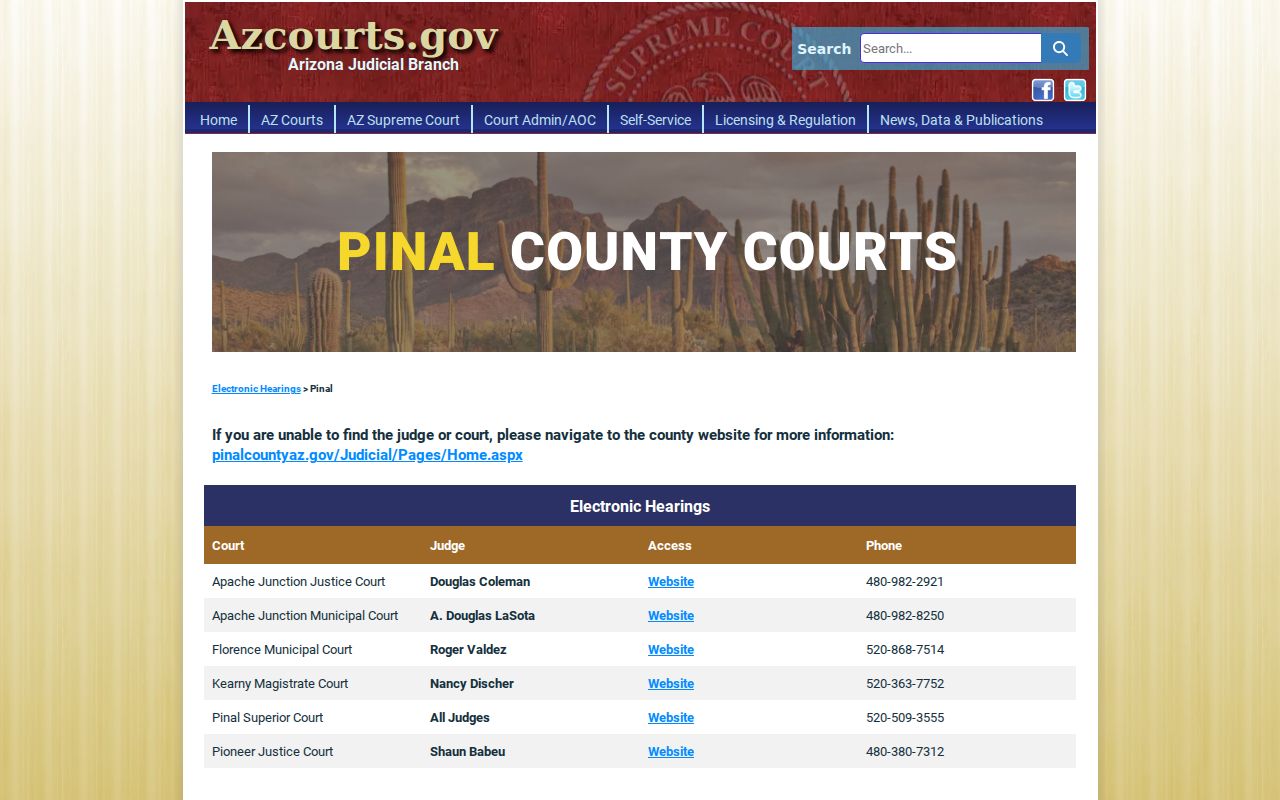
A directory helps you reach the right court. A meeting link alone does not confirm the hearing is still on the schedule.
Follow the division's exact instructions. A Pinal Superior Court remote setting may have entry rules that differ from a Justice or Municipal Court event. Check the docket for a later minute entry, then use the assigned court's current directions. Court Administration manages calendars, while the Clerk maintains filings and case records. Send schedule questions to the court or division, and copy requests to the owning clerk.
When a Court Date Moves
A continuance request never moves a Pinal County hearing by itself. The current setting stays in force until the judge enters an order or minute entry. Once granted, the history may show the old event, the order, and the replacement date, which is exactly why two dates can appear at once.
Closures and emergency changes can shift a hearing faster than any statewide portal refresh. Holidays also affect filing and calendar timing. Check with the assigned division the day before court. If a notice and an online result conflict, give the clerk or court the full case number and both dates. Skip the search snippet, the old saved screen, and any remote link sent before the reset.
Pinal Court Interpreter Scheduling
The Pinal Superior Court interpreter page provides official service information.
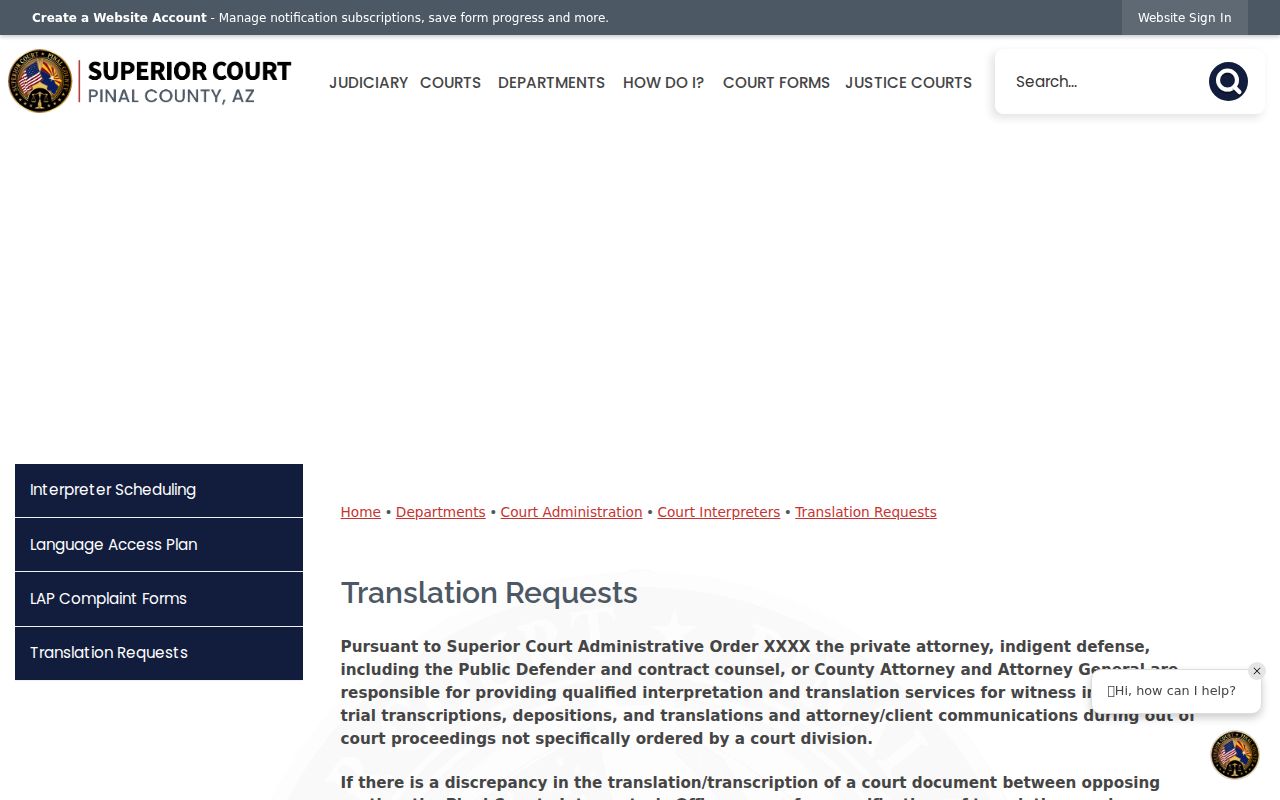
Interpreter arrangements are handled by the court where the case sits, so raise the need early, well before any Pinal County setting arrives. The request itself moves nothing. Unless the court signs a new order, the date on the docket stays put, so keep tracking the same case number.
One caution: a note left with one office does not travel through every calendar system the court uses. Follow the accommodation process the assigned court currently publishes, since its live instructions control timing and availability.
Pinal Court Layers Keep Separate Calendars
Each layer of Pinal County justice keeps its own calendar. Each court owns its own cases. A felony setting sits with Pinal Superior Court. A precinct eviction or a misdemeanor belongs to that Justice Court. City ordinance and traffic matters go elsewhere. They go to the municipal or magistrate court printed on the citation.
Floence shows the split most clearly. The county Superior Court and the town Magistrate Court share a name but nothing else. The same caution applies in Maricopa, Casa Grande, Apache Junction, and Eloy. A phone or address may have shifted. If so, the Arizona Courts Locator is the most reliable current directory. After you identify the court, call its own counter for the final word.
Note: A countywide docket search can surface a participating city case. It never merges city calendars into a single Pinal daily list.
Missed Settings and What Comes Next
Missed a Pinal County court date? Contact the assigned court right away. Do not assume the case vanished. Do not expect a fresh date to land in your mailbox. Depending on case type, the court docket may show failure to appear. It may show default activity in a civil matter. It may show a warrant in a qualifying criminal case. Whatever step the court takes, the docket entry records it.
Act promptly. Call the court named on the notice, provide the case number, ask what entry was made, and follow only the court's instructions for the next step.
When the exact wording matters, pull the minute entry or order itself. The public index often lags behind the actual event. Treat it as a starting point rather than the final word. For a Superior Court record, the Pinal County Clerk of the Superior Court is the office to contact. Justice and Municipal Court records stay with their own clerks. A Pinal County docket search can point you to the event. But the court that owns the case controls the remedy and the current setting.
Pinal Court Schedule Final Check
For a Pinal Superior Court date, call the main court number, 520-866-5400. You can also use the division contact printed on official court material. The main complex sits at 971 North Jason Lopez Circle, Building A, Florence, Arizona 85132. Justice and Municipal matters should go through that court's own contact. Skip the Superior Court switchboard for those.
Have the complete case number ready. Then ask pointed questions: is the event still set, is it in person or remote, which courtroom or division controls it, and has a newer minute entry changed anything? Staff can match the current Pinal County court schedule far faster with specifics than with names alone. Write the answer down with your notice. Check again if the court issues another order.