
Pinal County Court Record Requests
Start with the court named on the caption of the case. That name decides where the request goes. The Arizona Judicial Branch Case Search works as a free index and a smart first check, though it is not the official court record itself. Some requesters can go further online. For open Superior Court civil and criminal cases filed on or after July 1, 2010, eAccess sells document images to eligible users. Older files, unavailable images, broader requests, and certified copies all run through the Pinal County Clerk record request.
Every documented channel still has a use. You can submit the Clerk's online form, inspect an open file at the Florence counter, work from a public terminal at a court facility, or mail the request to P.O. Box 2730, Florence, AZ 85132. Need help picking the right record category? Call the Clerk at 520-509-3555, dial toll free 888-431-1311, or send a fax to 520-866-5320. A phone call never replaces the filed request itself. A Justice Court or municipal file must be requested from that court's own clerk.
- Use Case Search to identify the owning court, full case number, case type, and approximate filing date.
- Check eAccess when the matter is an eligible open Superior Court civil or criminal case within its date coverage.
- Choose a docket printout, named filing, minute entry, order, judgment, plain copy, certification, or exemplification.
- Send the precise request online, at the counter, or by mail, then wait for the Clerk to confirm the total fee.
- Pay through the stated method and allow the published processing period after payment reaches the office.
Three Pinal County Court Records
Three things answer three different needs. The docket is the dated index of everything the court did. Some people call it the register of actions. It can show a motion arriving. It can show an order being entered. What it does not show is the paper itself. The filed document is the actual complaint, motion, minute entry, order, or judgment behind that entry. A certified copy reproduces a chosen document. It adds the Clerk's authentication.
| Product | What it provides | Best source |
|---|---|---|
| Docket or case history | Chronological event and setting index | Case Search, then the owning clerk |
| Filed document | The text or image behind a docket entry | eAccess or the Clerk |
| Certified copy | Clerk-authenticated reproduction | Clerk of the court that owns the file |
This is where people slip. A result page can locate a case, but it never turns the statewide index into a certified record. Before ordering anything, the Pinal County Docket Search material walks through the name and case-number lookup paths.
Kinds of Court Records
The Pinal County Clerk of the Superior Court holds the Superior Court files. Those cover felony, general civil, family, probate, juvenile, guardianship, and other matters. Each Pinal Justice Court keeps its own limited civil, small-claims, eviction, misdemeanor, and traffic matters. City ordinance and city traffic cases belong to municipal or magistrate clerks. So the Florence courthouse is not the answer for every record made in the county.
One case file can hold several public record types. The rules governing the case and each document set the limits:
- docket or register-of-actions printouts;
- complaints, petitions, answers, motions, and responses;
- notices, minute entries, signed orders, and judgments;
- public criminal, civil, probate, domestic-relations, or juvenile material where access is lawful;
- plain copies, certified copies, and exemplified copies.
Transcripts are a different animal. A court reporter or recording channel produces the verbatim account of a proceeding. The Clerk's docket and minute entries may summarize what happened, but neither gives you word-for-word text.
Pinal County Records Through eAccess
Arizona eAccess is the remote document layer for open Superior Court court records. Its coverage spans civil and criminal cases. It runs around the clock. It requires registration. Coverage includes eligible documents in cases filed from July 1, 2010 forward. Its advanced search accepts a case filing range, full or partial case number, party or business name, case title, judicial officer, and case type. Pick the Pinal Superior Court location. That narrows things down.
Results can include case information, parties, events, hearings, and charge information. A document event may offer a preview plus purchase. Or it may say the document is unavailable online. Previews carry an unofficial watermark. Purchased downloads must be retrieved within 24 hours, and electronic-certification verification lasts 180 days. A recipient may still insist on the Clerk's raised-seal copy. So settle the intended use before you pay.
Portal boundary: eAccess does not open sealed or restricted images, and an online purchase does not replace every form of clerk certification.
Court Records: What They Contain
Every Pinal County court record is organized around its case number. When public, the header names the court. It also gives the case type, filing date, title, status, and assigned judicial officer. Party and attorney blocks spell out each role. Event history lists filings and court-generated entries by date. Hearing fields may sit in their own block. The full file then adds the actual papers still open to inspection.
| Case number | The unique identifier, copied exactly with its prefix and punctuation. |
|---|---|
| Parties and roles | Public plaintiff, defendant, petitioner, respondent, or State designations. |
| Events | Filings, service, motions, notices, minute entries, orders, and judgments in date order. |
| Hearings | Public date, type, courtroom, result, and judicial officer fields when available. |
| Disposition | The case-level outcome, which must be read with the final signed ruling. |
Careful here. An entry saying a motion was filed does not show it was granted; check the later minute entry or signed order. And a closed status only describes the court's administration of the case, not whether every judgment or obligation was satisfied.
Pinal County Records and Case Center
Pinal Case Center is a workspace for digital evidence. It used to be called CaseLines. Approved criminal, juvenile dependency, civil, and family-law cases use it. Invited participants upload and review exhibits there before a hearing or trial. It is not a public exhibit library. It is also not a second docket-search portal for Pinal County court records.
Keep that limit in mind when a docket entry mentions an exhibit. Seeing the case on the public docket does not open the Case Center workspace to you. Ask the Clerk a simple question. Can a lawfully public exhibit be inspected or copied the ordinary way? A missing download does not mean no exhibit was ever offered.
Note: A Case Center invitation goes only to approved participants in a case. So treat it as case-specific access rather than general public document access.
Copy Fees and Certification
A plain copy just reproduces a public record. Certification adds the Clerk's authentication to one document. Exemplification adds two seals and counts as a separate product entirely. The Pinal Clerk fee schedule sets the local Superior Court amounts. Expect the Clerk to reach out within five business days to confirm fees, then allow up to five more business days for processing and delivery once payment lands.
| Item | Official amount |
|---|---|
| Copy per page | $0.50 |
| Certification per document | $35.00 |
| Research to locate records per year | $35.00 |
| Shipping and handling | $8.00 |
| Exemplification with two seals | $70.00 |
| Payment-history record | $35.00 |
Pinal County Clerk of Superior Court
971 North Jason Lopez Circle, Building A
Florence, AZ 85132
520-509-3555
Older Pinal County Court Records
Not every older file shows up as a downloadable image. Microfilmed material often stays off the screen. When you write to the Clerk, include the full case number. Add the category, the document name, and the tightest year range you can manage. Why the precision? The $35 research charge applies per year whenever the office lacks enough detail to locate the record. A quick statewide index check can trim both the wait and the bill.
Mail requests need the request form and a self-addressed stamped envelope. Include a check or money order payable to Clerk of Superior Court once the fee is confirmed. Send it all to P.O. Box 2730, Florence, AZ 85132. A public terminal at a court facility can show more than anonymous remote access does. Sealed and confidential files stay closed either way.
Court systems split at the state line. Pinal County sits inside the federal District of Arizona, while bankruptcy filings go to the federal Bankruptcy Court. The U.S. Bankruptcy Court for the District of Arizona keeps its own docket. It routes the public through PACER. That official page shows federal records rest with a separate clerk. They follow a separate search path from anything the Pinal County Superior Court handles.
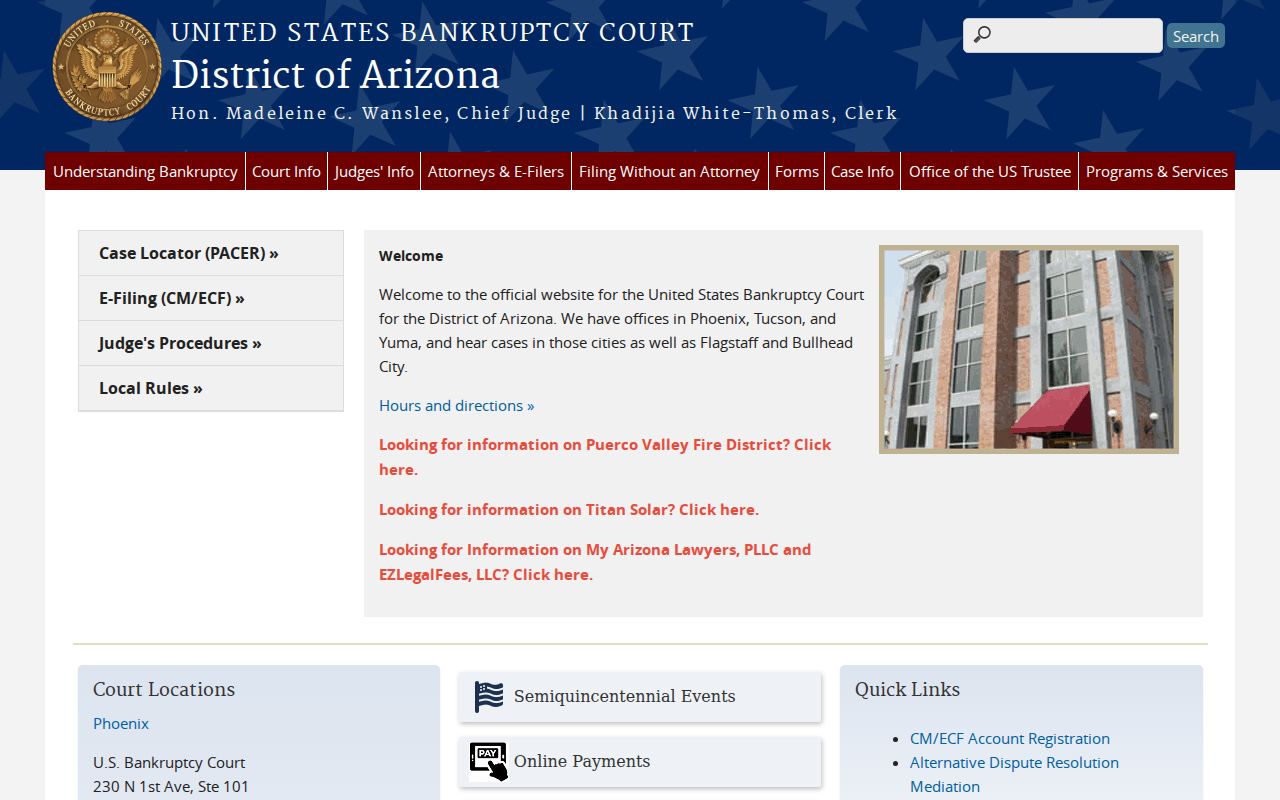
Match the clerk to the court. A state Superior Court record belongs with the Pinal County Clerk, not the federal one. And a federal bankruptcy docket cannot be certified by the Pinal County Clerk.
Access Rules for Court Records
Arizona Supreme Court Rule 123 governs access to judicial records. What you can reach remotely is narrower than what you can inspect at the courthouse. The statewide index leaves out sealed cases, orders of protection, mental-health and probate matters, victim and witness data, and juvenile delinquency or incorrigibility information. Local ordinance charges are missing too. Some of those gaps protect confidentiality. The ordinance gap just reflects what the portal covers.
Key Rules:
Arizona Supreme Court Rule 123 governs public judicial-record access and closed categories.
ACJA Section 1-604 sets remote-access rules while preserving lawful court-facility access.
A.R.S. Section 39-121 states Arizona's general public-record inspection principle.
A restricted image may still leave a generic entry in the register. That happens when the law allows it. But submitting a form does not unlock dependency, severance, adoption, or mental-health files. The Clerk simply cannot release those on request. Contact the office that holds the record about lawful access. Never read a blank search result as proof that no case exists.
Pinal County Record Request Timeline
The Pinal County request cycle runs in two distinct stages. First the Clerk reviews your description. The office contacts you within five business days with the fee. Only after payment arrives does processing start. The office then asks for up to five more business days for delivery. Those are sequential windows, not one combined promise.
Precision speeds things up. Name a particular order or judgment. Give its docket date. Say whether you want a plain, certified, or exemplified copy. Transcripts are different; stop and contact the court reporter or recording channel instead. Does the file belong to a Justice or city court? Send the request to that clerk instead of the Superior Court office.
Note: Portal availability, lawful public access, and the Clerk's power to certify a document. These are three separate questions.